


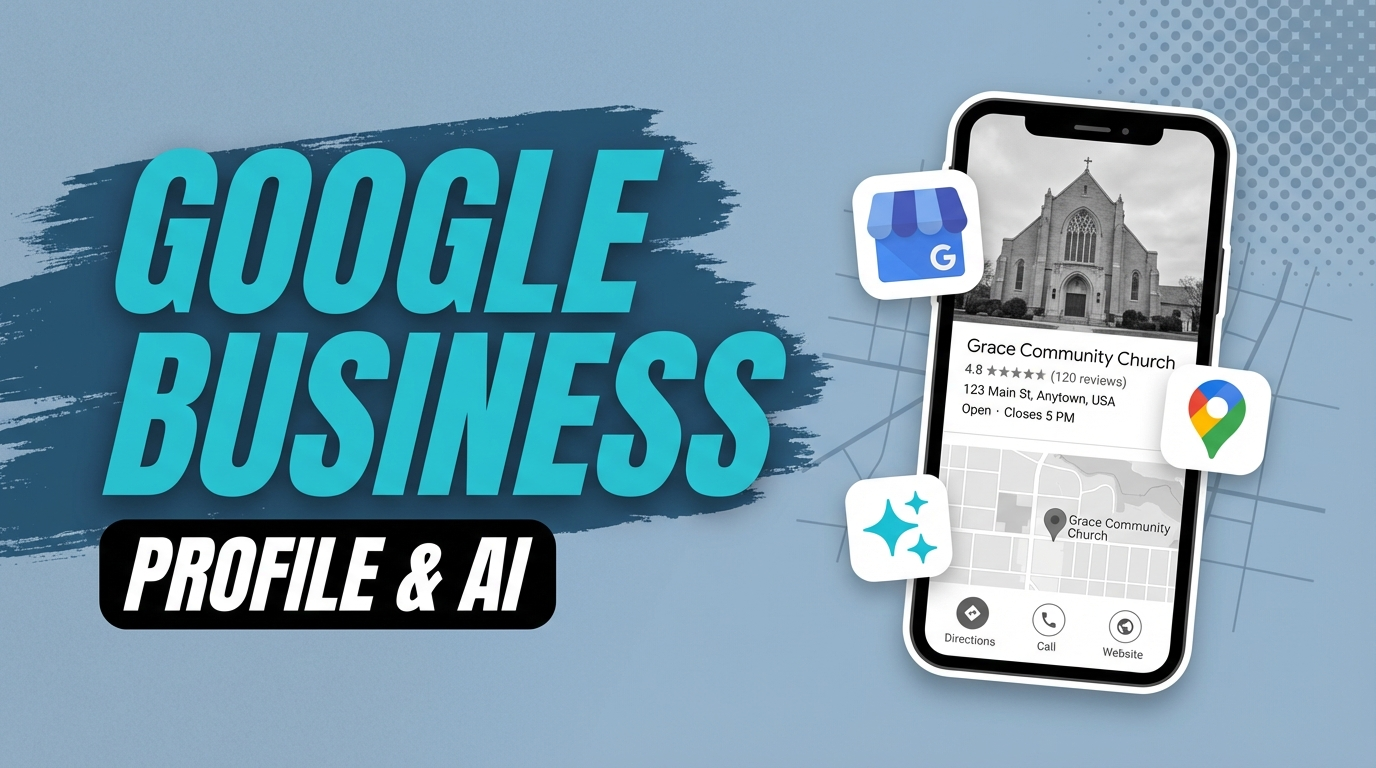
When ChatGPT recommends a church, where does it get the name, address, service times, and star rating? In most cases: your Google Business Profile. This one free listing is the single most important factor in whether AI tools can find and recommend your church.
Not your website. Not your social media. Your GBP.
If that profile is incomplete, outdated, or missing entirely, you’re invisible to a growing share of people actively looking for a church like yours. This post breaks down exactly what AI tools look for in a GBP, which fields matter most, and the specific changes you need to make today.
Why Your GBP Is the #1 Signal for AI Church Recommendations
AI tools don’t have their own database of local churches. They pull from the web, and the most authoritative, consistent, well-structured source of local business information on the web is Google’s own ecosystem.
When someone asks ChatGPT “what’s a good evangelical church in [city],” the AI is synthesizing information from multiple sources. But for local church recommendations, the data that wins is almost always tied to a verified, complete Google Business Profile. The name, address, service hours, categories, and star rating in your GBP feed directly into how AI systems describe and recommend your church.
Why GBP Dominates AI Recommendations
Google Business Profile is verified, structured, and updated by the organization itself. AI tools trust structured, first-party data. That's exactly what your GBP provides. Everything else is secondary.
Google’s AI Overviews work the same way. When someone searches “churches near me with contemporary worship” and an AI Overview appears above the organic results, the church names and information in that response come primarily from GBP data. A church with a strong, complete profile has a real advantage over one that hasn’t touched its listing in two years.
For a broader look at how AI is changing church search, read our guide on AI SEO for churches.
The GBP Fields AI Tools Pull From (and Which Matter Most)
Not all fields in your Google Business Profile carry equal weight. Here’s what AI systems look at most:
Business Name. This is the entity that AI tools recognize and recommend. It must match exactly what appears on your website, your social profiles, and every other directory listing. Inconsistencies create confusion and lower trust.
Primary Category. This is how AI tools classify what your church is. “Baptist Church,” “Non-denominational Church,” “Charismatic Church” are all searchable entity types. “Church” alone is too generic. Your primary category determines whether you surface when someone asks for a specific type of congregation.
Address. Exact, verified, and consistent. AI tools cross-reference your address across multiple sources. If your GBP address doesn’t match your website footer, that inconsistency signals unreliability.
Service Times (Hours). AI tools frequently include service times in church recommendations. If your hours are wrong, outdated, or missing entirely, AI systems either skip that information or worse, recommend the wrong time to a visitor.
Star Rating and Review Count. AI systems use reviews as a quality signal. A church with 80 reviews and a 4.8 rating ranks higher in confidence than a church with 4 reviews and a 4.0 rating. Reviews signal that real people have been there and had an experience worth reporting.
Business Description. This is where AI tools pull natural language about your church. It’s not just metadata. It’s training data. Write it as if you’re explaining your church to someone who’s never heard of it.
Website URL. AI tools follow your website link to gather more information about your church. A strong website connected to a strong GBP creates a reinforcing loop of authority.
How to Optimize Each GBP Field for AI Visibility
Let’s get specific. Each of these fields needs to be intentionally filled out, not just checked off.
Business Name
Use your church’s legal or commonly known name. Don’t stuff keywords into it. “Grace Community Church” is correct. “Grace Community Church Best Evangelical Honolulu” violates Google’s guidelines and AI tools treat keyword-stuffed names as lower quality.
Make sure this name is identical on your website, your Facebook page, Apple Maps, Yelp, and everywhere else your church appears online. Consistency is the signal. Inconsistency is the problem.
Primary and Secondary Categories
Choose the most specific primary category available for your denomination or worship style. Google’s category list includes:
- Baptist Church
- Catholic Church
- Methodist Church
- Non-denominational Church
- Pentecostal Church
- Presbyterian Church
- Lutheran Church
- Episcopal Church
If your denomination isn’t listed, “Christian Church” or “Non-denominational Church” are the best fallbacks.
Add secondary categories as well. Most churches can add both their specific denomination and “Church” or “Place of Worship” as secondary options. This broadens the queries you’re relevant for without diluting your primary category.
Hours and Service Times
This is the field most churches get wrong. Here’s the standard to hit:
List your regular weekly service times under “Hours.” Add midweek services if you have them. Use the Special Hours feature for every holiday service, including Good Friday, Easter, Christmas Eve, and New Year’s. Update hours immediately any time your service schedule changes.
AI tools and Google’s own Knowledge Panel pull directly from this field when answering “what time does [church] meet?” If the answer is wrong, you’re sending people to an empty parking lot.
Business Description
You get 750 characters. Use them strategically.
Write a description that answers the questions a first-time visitor would have. What kind of church are you? What’s your worship style? Who do you serve? What city are you in? What makes your community welcoming?
Here’s a formula that works well:
“[Church Name] is a [denomination/style] church in [city] serving [types of people]. We offer [worship style] services [days and times], [children’s program], and [other relevant feature]. Our mission is [mission statement]. Everyone is welcome.”
Write it in plain, warm language. Avoid internal church jargon. Write it for the person who’s never been to church, not the person who grew up in one.
Q&A Section
Google Business Profile includes a Q&A feature that most churches completely ignore. AI tools read this section. Set it up deliberately.
Log into your GBP, navigate to the Q&A section, and add the questions your congregation gets asked most often. Then answer them yourself. Don’t wait for the public to ask. Seed it with the questions that matter:
- What time are your services?
- Is there childcare available?
- What should I wear?
- Is this church welcoming to newcomers?
- Where do I park?
- What denomination are you?
These questions feed directly into AI-generated church recommendations that include practical details visitors want to know.
GBP Categories for Churches: Getting Them Right
Category selection is one of the highest-impact, most overlooked parts of GBP optimization. This is where you tell Google and AI tools exactly what kind of church you are.
The biggest mistake: choosing “Church” as your only category. That’s like a restaurant choosing “food” as its category. It’s technically correct and completely unhelpful.
Here’s the category strategy that works:
Primary category: Your most specific denomination or worship style. If someone in your city searches “Baptist church near me” or “non-denominational church in [city],” your primary category determines whether you appear in that result.
Secondary categories: Add “Church” and any other relevant classifications. If your church runs a food pantry, you may be able to add “Food Bank” as a secondary category. If you run a school or daycare, add those as well.
AI tools use your categories to match your church to search queries. The more precisely your categories describe you, the better the match.
One important note: don’t add categories that don’t apply. Adding “Community Center” or “Event Venue” when your church isn’t primarily those things will confuse the algorithm and dilute your relevance for the queries that actually matter.
Photos, Posts, and Updates: Do They Affect AI Visibility?
Yes. And not just for AI.
Google tracks engagement signals on your GBP. A profile that gets updated regularly, adds new photos consistently, and has recent posts signals to Google that the listing is active and maintained. That activity feeds into your prominence score, which is one of the three main factors Google uses to determine local search ranking.
AI tools care about recency. A profile last updated in 2022 signals to an AI system that the information might not be current. A profile updated last week signals reliability.
For photos: Aim for at least 20 photos. Include exterior shots so visitors can find you, interior shots of your worship space, candid photos from services and events, and a clear logo. Add new photos after every major service or event. Set a recurring reminder if you need to.
For posts: Post at least once a week. Share sermon recaps, event announcements, or community highlights. AI tools can read GBP posts, and fresh content signals an active community.
For updates: Treat your GBP like a live document. Any time your service times, pastor, address, or website URL changes, update your GBP the same day. Stale information isn’t just bad for AI. It’s bad for the person who shows up at the wrong address.
The GBP + Website Connection: How They Work Together
Your Google Business Profile and your website don’t operate in isolation. AI tools follow the link from your GBP to your website and use what they find there to verify and supplement what’s in your profile.
This means two things.
First, the information on your website needs to match your GBP. Your church name, address, phone number, and service times should appear on your website exactly as they appear in your GBP. This is called NAP consistency, and it’s one of the strongest trust signals in local search. Inconsistencies between your GBP and your website reduce the AI’s confidence in both.
Second, your website content extends what your GBP can say about you. Your GBP description has 750 characters. Your website has unlimited space. Use your website to go deep on who you are, what you believe, what programs you offer, and what someone can expect when they visit. When an AI tool follows your GBP link and finds a rich, informative website, that reinforces your church’s credibility.
The combination is powerful. A complete GBP pointing to a strong website creates a reinforcing loop that AI tools trust significantly more than either one alone.
For a deeper look at how your website and local presence work together, read our complete local SEO guide for churches and our guide on Google My Business for churches.
Common GBP Mistakes That Make Your Church Invisible to AI
These are the mistakes that actively hurt your church’s AI search visibility:
Leaving service times blank or outdated. AI tools that can’t confidently report your service times will often skip the details or not recommend you at all. Service hours are one of the most-requested pieces of information in church search queries.
Using a generic primary category. “Church” alone doesn’t help an AI system match you to denomination-specific or worship-style-specific queries. Get specific.
Ignoring the Q&A section. AI tools pull from Q&A to answer practical visitor questions. An empty Q&A section is a missed opportunity to control what AI says about your church.
Inconsistent NAP data. If your GBP says “Grace Community Church” and your website footer says “Grace Community Church of Springfield,” those look like two different organizations to a search engine and to an AI tool.
No photos or outdated photos. Profiles with minimal or old photos signal abandonment. AI tools factor in profile quality and recency.
Zero or very few reviews. Reviews are social proof for humans and quality signals for AI. A church with two reviews is harder for an AI to recommend confidently than a church with 75 reviews and an active owner who responds to each one.
Not responding to reviews. AI tools can see whether a church engages with its community. Response activity signals that the organization is active and cares about its people. Silence says the opposite.
For a full look at the review side of this equation, read our guide on Google reviews for churches. And for how local search connects to AI visibility overall, read our post on local SEO and AI search for churches.
Your GBP Checklist
Complete business name, specific primary category, exact address, accurate service times, 750-character description, 20+ photos, weekly posts, seeded Q&A, and 25+ reviews with active responses. Hit all of these and you're ahead of 90% of churches in your area.
Start Here: Your GBP Optimization Priority Order
If you’re looking at this list and feeling overwhelmed, here’s where to start. Work through these in order.
First: Verify your profile is claimed and verified. If you’re not managing your GBP, it may be running on incomplete data Google scraped from third-party sources.
Second: Set your primary category. Change “Church” to “Baptist Church” or “Non-denominational Church” and you immediately become more relevant for the queries that matter. This single field has the highest leverage-to-effort ratio on the list.
Third: Fill out or update your service times. Get this right and keep it current. This is the field that converts a search into a visitor.
Fourth: Rewrite your business description using the formula above. Write for the first-time visitor, not the longtime member.
Fifth: Seed your Q&A section with 6-8 questions and clear answers. Sixth, audit your photos and add new ones if you’re below 20. Seventh, build a simple repeatable system for asking congregants to leave reviews. Eighth, start posting weekly updates tied to your sermon series or upcoming events.
None of this is complicated. The churches showing up in AI recommendations aren’t doing anything mysterious. They’re doing the basics well and doing them consistently.
The gap between visible and invisible in AI search often comes down to a few hours of setup and a consistent weekly habit.
How Visible Is Your Church in Search?
Our free audit checks your local SEO and AI search signals in 60 seconds.
Run Your Free Audit →